
lehighvalleylive.com
lehighvalleylive.comNews & Magazines
3.0158.00 Reviews
- Version
- 5.0.0
- Installs
- 10.00K
- Age Rating
- Teen
Screenshots



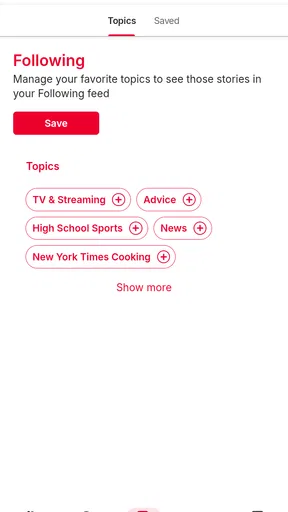

Our Review of lehighvalleylive.com
 Analysis by Appyee
I found lehighvalleylive.com most useful when I treated it as a quick local-news stop rather than as my only source for everything happening in the world. It is a free News & Magazines app from lehighvalleylive.com, built around news, sports, and entertainment for people connected to the Lehigh Valley. That focus gives it a clear purpose: I can open it looking for nearby developments, local teams, or regional events instead of sorting through a national feed first.
Its appeal becomes clearer on a shared household device. One person may want a fast look at local headlines before work, another may check sports later, and someone else may use it to see what is happening around the area. The app does not need to replace a general news reader to be useful. In my experience, its value comes from reducing the distance between a reader and the community covered by the publication.
There is also a practical reason to keep expectations realistic. The app has an average rating of 3.0 from around 371 ratings, so the public response is mixed rather than universally enthusiastic. I would not read that figure as a complete verdict, but it does suggest that convenience and consistency may matter more here than a polished, universally loved experience. I recommend trying it with a specific local-news habit in mind, then deciding whether it earns a regular place on your phone.
How the app works in a shared household
On a family or shared device, a local-news app can serve several different routines without everyone needing the same interests. I might check headlines while making breakfast, while another household member looks for sports coverage in the evening. A third person could use the entertainment side when planning a weekend. That range is one of the strongest reasons to consider this particular app instead of installing several narrowly focused sources.
The important distinction is that the app is shared by the device, not necessarily personalized to each individual. I would avoid assuming that one person’s reading habits, alerts, or preferences automatically create a separate experience for everyone else. Before handing the phone to a child, partner, or older relative, I would open the app myself and check what is visible at that moment. That simple habit prevents one person’s news context from being mistaken for another person’s.
A realistic example is a household preparing for a busy Saturday. I can use the app to scan local developments and entertainment coverage, then tell the family which items are relevant. Someone interested in sports can return to the sports material without needing my broader reading history. The app works best in that situation as a common reference point for conversation, not as a private journal of each person’s interests.
The most useful shared-device habit is to separate reading time from account decisions. If the app presents any sign-in or purchase-related choice, I would pause before confirming it on a device used by several people. A free download does not mean every possible part of the experience has the same payment status, and the listed in-app purchase range runs from $1.99 to $199.99 per item. That is a strong reason to keep the person responsible for purchases involved.
What I would check during setup
The app is aimed at Teen users, which matters in a household where younger readers may borrow the same phone or tablet. I would not treat that age label as a substitute for parental judgment. News can include difficult subjects, disturbing events, strong opinions, or stories that need adult explanation. A teenager may be comfortable with that material, while a younger child may not be.
My setup routine would be simple. I would install the app, look through the main areas, inspect how stories open, and make sure the household understands who may approve any purchase. I would also decide whether the app belongs on a shared home screen or on one adult’s personal device. That choice is less about the app itself and more about keeping responsibility clear when several people use the same hardware.
The developer is listed as lehighvalleylive.com, so I would explain to other household members that this is a publication-focused app rather than a neutral directory of every available source. That does not make it a poor choice; it simply means the editorial perspective and coverage priorities are tied to that publisher. For local readers, that focus can be an advantage. For someone expecting a broad, multi-source news dashboard, it may feel narrower.
Because the current version is 5.0.0 and the minimum operating system is Android 8.0, compatibility is straightforward for many older Android phones, but I would still check the device before planning around it. A shared family tablet that has been left untouched for years may not be ready for the app. I would rather confirm compatibility early than make the app part of a household routine and discover that one person cannot access it.
Keeping household coordination practical
Local news becomes more useful when it leads to a clear action. If I read about a regional event, a sports result, or an issue affecting the area, I can pass the relevant detail to the people who need it. The app is therefore helpful as a starting point for coordination: deciding whether to change plans, discussing a local concern, or choosing something to do together.
I would not rely on a headline alone for a decision with real consequences. My approach is to open the full story, check its context, and then share the information rather than forwarding a short line without explanation. This is especially important on a shared device, where one person may see a headline and another may assume it represents the complete situation.
One non-obvious advantage of a focused local publication is attention. A general news app can bury nearby stories beneath national politics, international events, and algorithmic recommendations. Here, I can begin with a regional frame. That saves time when my question is not “What is happening everywhere?” but “What might affect people around me today?” The trade-off is that I may need another source for wider context.
For coordination, I would use a repeatable workflow: scan the local section, check sports if it matters to the household, then review entertainment or event-related coverage when making weekend plans. I would not keep reopening the same story hoping the app will turn it into a task manager or calendar. Its role is to inform the conversation; the household can use another tool for reminders, schedules, and shared planning.
That boundary keeps the app from being judged unfairly. It is not a replacement for messaging, a family calendar, or a comprehensive emergency-information system. If I need a shared record of who is doing what, I would use a dedicated coordination app. If I need local awareness before making that plan, this app can be the first step.
Age, trust, and the limits of a shared feed
The Teen content rating makes the app more suitable for older children and adults than for unsupervised young readers, but I would still use common sense. News is unpredictable by nature. A story about a local event can be perfectly ordinary in one moment and emotionally heavy in the next. In a family setting, I would encourage younger readers to ask questions instead of assuming that every headline is self-explanatory.
I also think trust should be handled in two layers. First, trust the app as a way to reach the publisher’s coverage. Second, evaluate individual stories with the same care I would apply anywhere else. A local source may be especially valuable for regional knowledge, but readers should still distinguish reporting from commentary and a developing story from a settled one.
This is where the app may suit a household better than a constantly changing social feed. I can approach it with a clearer editorial destination and less pressure to follow whatever is currently popular. On the other hand, readers who prefer many viewpoints in one place may find a dedicated publication less flexible than a broad news aggregator. I would choose based on whether local focus or source variety matters more to the household.
I would also avoid sharing one person’s assumptions with everyone else. A sports fan may open the app mainly for scores and team coverage, while another reader may care about community news. Neither use is more legitimate. The practical solution is to let people browse for their own reasons and discuss stories when they affect the household, rather than expecting one shared reading pattern.
That approach is particularly useful when teenagers use the same phone as adults. Instead of banning the app because news can be complicated, I would set a clear expectation: read critically, ask when a story is confusing, and do not make a serious decision from a headline alone. The app can support media literacy when it becomes part of an open conversation rather than a silent feed placed in front of a child.
Where it fits beside familiar alternatives
Compared with a national news app, this one has a sharper regional identity. I would open a national app for a broad overview, major international developments, or a mixture of publishers. I would open lehighvalleylive.com when I want the Lehigh Valley perspective to come first. That difference is meaningful for residents, former residents, families with local ties, and anyone planning activities in the area.
Compared with a social-media feed, the app is a calmer starting point for finding coverage from a named publication. Social platforms can surface eyewitness material and fast reactions, but they can also mix reporting with speculation and unrelated posts. I prefer this app when I want to read local coverage deliberately rather than wait for an algorithm to decide what appears in front of me.
Compared with a browser bookmark, the dedicated app is more convenient for repeated mobile reading. I can keep it available for a quick check without opening a browser and navigating through several tabs. The browser remains the better choice when I want to compare multiple sources, search broadly, or avoid adding another app to a device with limited space.
The most important trade-off is breadth versus relevance. A general aggregator gives me more variety, while this app gives me a more direct local destination. I would recommend keeping both approaches available if local news and national context are equally important. If I only want one news tool, I would choose this app only when the Lehigh Valley is central to my daily life.
Its install base is over 10K, which places it in the category of a focused regional app rather than a mass-market news platform. I see that as consistent with its purpose, not automatically as a weakness. A local audience does not need the scale of a worldwide service to find value. Still, a smaller footprint can mean that the app feels less familiar or less broadly tested than the biggest alternatives, so the mixed rating deserves attention during a personal trial.
Daily use, friction, and sensible expectations
My preferred use is short and intentional. I open the app when I have a local question, scan the areas relevant to me, and read the stories that could affect my plans or understanding of the region. That keeps the experience from becoming another endless scroll. It also makes it easier to notice whether the app is genuinely helping or merely duplicating information I already receive elsewhere.
The free price makes that trial low-risk from the download perspective. I can see whether the coverage fits my needs before committing to a long-term habit. However, the presence of in-app purchases means I would not let a child or guest tap through payment screens casually. On a shared device, the adult responsible for the account should handle those decisions, especially when the possible per-item amounts vary considerably.
One useful test is to use the app during an ordinary week rather than only during a major local story. I would check whether it helps with the kinds of questions my household actually asks: what is happening nearby, what local sports news matters, and whether there is entertainment coverage worth discussing. If it only feels useful during unusual events, a browser bookmark may be enough.
I would also judge the app by how well it complements, rather than replaces, other information sources. For weather, traffic, public notices, or urgent instructions, I would go to the appropriate specialist source when precision and immediacy matter. For broader verification, I would compare coverage elsewhere. The app earns its place when it gives me local context efficiently, not when I force it to perform every news-related job.
Another practical tip is to avoid treating the shared device as a single person’s news profile. If the household wants different interests, each person can use the app at a separate time and communicate important findings directly. That is less seamless than a fully individualized service, but it is honest and avoids confusion about whose priorities shaped what appears on screen.
Who should install it and who should skip it
I think this app is a good fit for Lehigh Valley residents who want a direct regional news destination, households that discuss local events, and sports followers who prefer to begin with coverage tied to their community. It is also useful for people who are tired of national headlines crowding out nearby stories. The free download makes experimentation easy, and the Teen rating gives families a clear starting point for deciding whether the content suits a particular reader.
I would be more cautious if I wanted one app to combine local, national, and international reporting from many publishers. A general news reader would likely be more efficient for that purpose. I would also skip this app if I rarely need Lehigh Valley coverage, because its strongest advantage is precisely its regional focus. Installing it without a local connection could turn it into an unused shortcut.
Readers who dislike any purchase prompts should also pay attention during setup and shared use. The app itself is free, but the listed in-app purchase range means household boundaries matter. I would not call that a reason to reject it automatically; I would call it a reason to keep payment responsibility with one trusted adult.
Finally, people who expect every story to provide a complete national or international picture may be disappointed. I see the app as a local window, not a whole news ecosystem. Its best use is focused awareness, followed by careful reading and, when necessary, comparison with another source.
My household verdict
After looking at it as both a personal news tool and a shared-device app, I see a clear but limited role for lehighvalleylive.com. It makes sense when the Lehigh Valley is part of daily life and when the household wants local news, sports, and entertainment in one regional destination. I especially like the way that focus can support practical conversations about plans and community events without competing with a huge national feed.
I would introduce it to a household with three simple rules: the adult responsible for purchases handles payment choices, younger readers get age-appropriate guidance, and important decisions are based on full stories and trusted confirmation rather than headlines alone. Those rules are not complicated, but they make the app easier to use responsibly on a shared phone or tablet.
The mixed average rating of 3.0 means I would recommend a personal trial rather than an unconditional endorsement. Start with the free experience, use it during a normal week, and compare its local usefulness with the news tools already on the device. If it consistently answers questions about the area better than a general alternative, it has earned its place.
My final view is favorable for the right reader. Choose it for focused Lehigh Valley awareness, not for unlimited news breadth. In that role, it can be a practical household reference and a convenient daily check. If your needs are national, highly personalized, or centered on shared task management, another option will probably serve you better.
Verdict
Strengths of lehighvalleylive.com
- Fast access to breaking news across Pennsylvania’s Lehigh Valley.
- Strong coverage of local politics, crime, schools, and community events.
- Push notifications help users stay informed about important developments.
- Article pages include photos, videos, and useful local context.
- Free to download and easy to browse on phones and tablets.
Limitations of lehighvalleylive.com
- Some content may require a subscription or registration to access.
- Advertising can make the reading experience feel cluttered.
- Coverage is primarily regional and less useful outside the Lehigh Valley.
- Push alerts may feel frequent unless notification settings are adjusted.
- Some articles may load slowly on weaker mobile connections.
Similar Picks in This Category
View All
Google News - Daily Headlines
Google LLC4.0

X
X Corp.4.8

Flipboard:Your Social Magazine
Flipboard3.4

Opera News: breaking & local
Opera4.5

Hindi News by Dainik Bhaskar
Dainik Bhaskar Group4.0

Way2News Daily News App
Way2News ( Formerly Way2SMS )4.6
Frequently Asked Questions
What is lehighvalleylive.com, and what can I use it for?
lehighvalleylive.com is a local news source focused on Pennsylvania’s Lehigh Valley, including communities such as Allentown, Bethlehem, and Easton. It provides reporting on breaking news, crime, local government, schools, sports, entertainment, business, and community events. It is useful for readers who want regional coverage and updates that may not receive much attention from national news outlets.
Does lehighvalleylive.com offer an Android or iOS app?
The availability of a dedicated lehighvalleylive.com mobile application may vary depending on the current publishing and distribution strategy. Before downloading anything, check the official Google Play Store or Apple App Store listing and confirm that the developer and branding are legitimate. You can also access the website through a mobile browser, where the responsive layout is designed to make articles, headlines, photos, and videos easier to read on a phone or tablet.
Is the content on lehighvalleylive.com free to read?
Some articles and updates on lehighvalleylive.com may be available without payment, while other content can be limited by a subscription or digital access plan. The exact number of free articles, subscription benefits, and pricing may change over time. If you frequently read local reporting, review the current subscription terms carefully, including renewal conditions, account requirements, and whether access includes newsletters or related regional publications.
What types of news and features are available on lehighvalleylive.com?
The site covers a broad range of Lehigh Valley topics, including breaking news, public safety, politics, education, local businesses, food, entertainment, community happenings, and high school or professional sports. Depending on the story, readers may also find photo galleries, videos, live updates, opinion pieces, event information, and practical guides. Coverage can be especially valuable for residents following nearby developments and local institutions.
Does lehighvalleylive.com require an account, and can I receive notifications?
You can generally browse publicly available website content without creating an account, although registration may be needed for subscriptions, newsletters, saved preferences, or other personalized features. Notification support depends on whether you use a dedicated app, mobile browser, or email service. If alerts are available, review your settings so you receive important local updates without being overwhelmed by frequent breaking-news or promotional messages.
